
Coding Models
Build, debug and ship faster with leading code models.
CodeAgentsTools
One API for coding, reasoning, vision, voice and intelligent automation. Access the world's best AI models through a single, secure platform.
Multiple AI Providers
Secure & Reliable
One Unified API
Global Access
AI INFRASTRUCTURE
Connect applications, AI models, tools and intelligent workflows through one unified gateway.
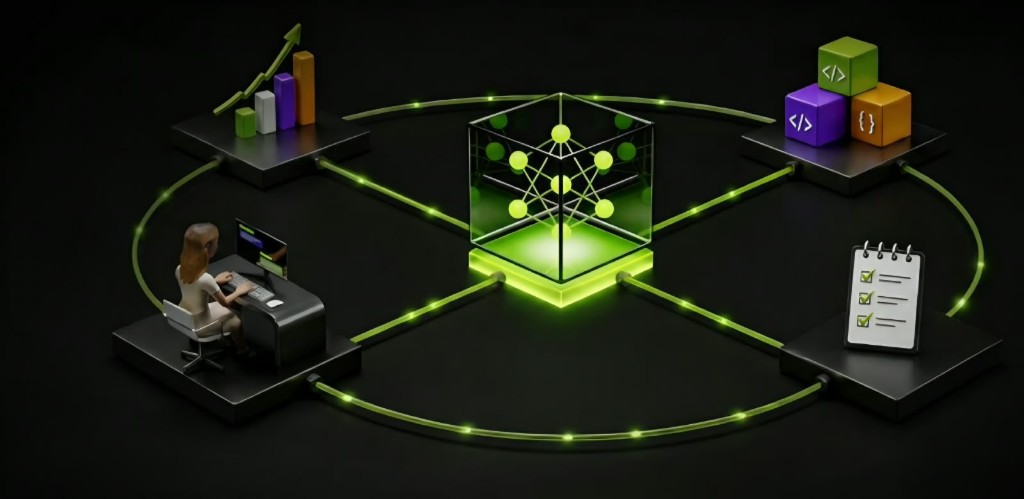
CXOPIN Universal Gateway routes authenticated requests to verified providers only. Artwork is illustrative — connection status always comes from live registry checks, never from this diagram.
Verified registry records only. Unavailable fields show Not available. Connection status is never fabricated.
CXOPIN Universal Gateway: exact model resolution, hashed keys, and upstream credentials that never leave the server.
Create a key in the CXOPIN Console, set CXOPIN_API_KEY, pick a language, and call https://api.cxopin.dev/v1/chat/completions with an exact catalog model id.
curl https://api.cxopin.dev/v1/chat/completions \
-H "Authorization: Bearer $CXOPIN_API_KEY" \
-H "Content-Type: application/json" \
-d '{
"model": "meta/llama-3.2-11b-vision-instruct",
"messages": [
{ "role": "user", "content": "Summarize this changelog." }
]
}'Authenticate with a Console API key via the Authorization: Bearer header. Endpoint: https://api.cxopin.dev/v1/chat/completions. Set CXOPIN_API_KEY in your environment. Exact model ids only — CXOPIN never silently substitutes providers.
Everything you need to ship against the CXOPIN Universal Gateway — without fabricated metrics.
One key, exact model resolution, hashed credentials, and honest errors when a provider is not connected.
Create, name, scope, expire, and revoke keys in the console. Secrets are shown once.
Requests resolve to the exact catalog model id — no silent substitution between providers.
Project usage and audit surfaces exist in the console. Live provider metering unlocks with connections.
Wallets and usage records are ready. Payment capture stays disabled until explicitly approved.
Explore catalog models interactively. Inference remains blocked until a provider passes verification.
07 · ENTERPRISE
Volume planning, security review, and deployment questions can be recorded as an inquiry. No fabricated uptime, RPS, or partnership claims.
HORIZONTAL SCALING
Interactive concept · not live capacity metrics
Sliding replicas only changes this illustration. No throughput, uptime, or active-user figures are shown because they are not measured here.
REQUEST PATH
Gateway routing
The edge verifies the key, resolves the exact model id, and applies project limits. No silent model substitution.
Customer stories appear here only when approved. Until then, these are product use cases — not testimonials.
Route coding-capable catalog models through one gateway key when a provider is connected.
Combine vision, image, and text lanes from verified catalog metadata — without inventing availability.
Issue project keys, isolate wallets, and keep upstream credentials on the server.
Guides for authentication, keys, catalog fields, and the Universal Gateway.
GATEWAY
Open the console, create a project key, and call https://api.cxopin.dev.